RTS5817 MAA Evaluation Board
Overview
The RTS5817 MAA EVB is a development platform to evaluate the Realtek RTS5817 MAA fingerprint chip. The RTS5817 MAA chip contains a high-performance MCU and a fingerprint sensor.
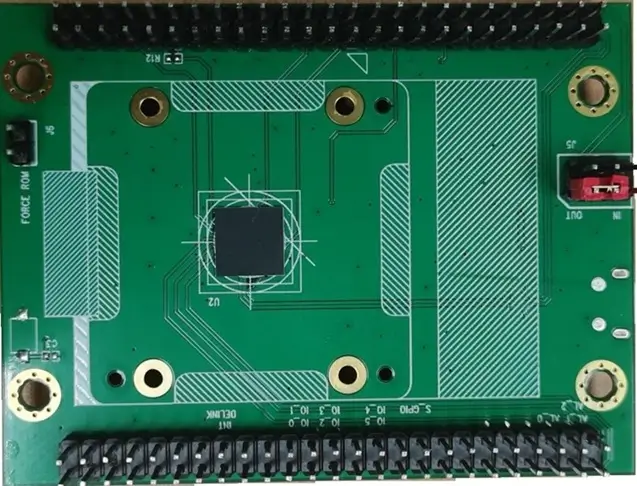
Hardware
240MHz single-core 32-bit CPU with I-cache 32KB, D-cache 16KB
48KB boot ROM
256KB on-chip SRAM
1KB PUFrt OTP
2MB Flash
USB2.0 full speed/high speed device
Up to 11 GPIO
2 x UART
2 x Timer
2 x SPI, one can support slave mode
Watchdog
DMA
Temperature sensor
Cryptographic hardware acceleration (RNG, SHA, AES)
Fingerprint matching hardware acceleration (MAC, popcount, convolution, etc.)
SWD for debug
Supported Features
The rts5817_maa_evb board supports the hardware features listed below.
- on-chip / on-board
- Feature integrated in the SoC / present on the board.
- 2 / 2
-
Number of instances that are enabled / disabled.
Click on the label to see the first instance of this feature in the board/SoC DTS files. -
vnd,foo -
Compatible string for the Devicetree binding matching the feature.
Click on the link to view the binding documentation.
rts5817_maa_evb/rts5817 target
On-target memory for this board target: 256 KiB of RAM, 2 MiB of Flash.
Type |
Location |
Description |
Compatible |
|---|---|---|---|
CPU |
on-chip |
ARM Cortex-M33 CPU1 |
|
Clock control |
on-chip |
Realtek RTS5817 clock1 |
|
GPIO & Headers |
on-chip |
RTS5817 GPIO controller1 |
|
Interrupt controller |
on-chip |
ARMv8-M NVIC (Nested Vectored Interrupt Controller)1 |
|
MTD |
on-chip |
Flash node1 |
|
NVMEM |
on-chip |
Fixed layout for Non-Volatile memory1 |
|
OTP memory |
on-chip |
RTS5817 On-Chip OTP (One-Time Programmable) controller1 |
|
Pin control |
on-chip |
Realtek RTS5817 series pin controller1 |
|
Regulator |
on-chip |
Realtek RTS5817 core and fingerprint sensor power supply regulator1 |
|
Reset controller |
on-chip |
Realtek RTS5817 Peripheral reset controller1 |
|
Serial controller |
on-chip |
||
SPI |
on-chip |
Synopsys DesignWare SPI controller2 |
|
on-chip |
Realtek RTS5817 SPI wrapper node2 |
||
SRAM |
on-chip |
Generic on-chip SRAM1 |
|
System controller |
on-chip |
System Controller Registers R/W2 |
|
Timer |
on-chip |
ARMv8-M System Tick1 |
|
Watchdog |
on-chip |
Realtek RTS5817 Watchdog driver1 |
Programming and Debugging
The rts5817_maa_evb board supports the runners and associated west commands listed below.
| flash | debug | |
|---|---|---|
| rtsflash | ✅ (default) |
Building
Build Hello World application as you would normally do.
# From the root of the zephyr repository
west build -b rts5817_maa_evb samples/hello_world
The file
zephyr.rts5817.binwill be created if the build system can build successfully. This binary image can be found under file “build/zephyr/”.
Flashing
Short the two pins of
J6to enter force rom mode (see RTS5817MAA_EVB_User_Guide [1]).Connect the board to your host computer using USB.
Use
west flashcommand to flash the image.Disconnect the two pins of
J6and reboot, The Hello World application is running.