Orange Pi Zero 2W
Orange Pi Zero 2W
Overview
Orange Pi Zero 2W is an open-source single-board computer. It uses the Allwinner H618 SoC and comes with 1GB, 1.5GB, or 2GB of LPDDR4 SDRAM. The Allwinner H618 SoC is based on a quad-core ARM Cortex-A53 processor.
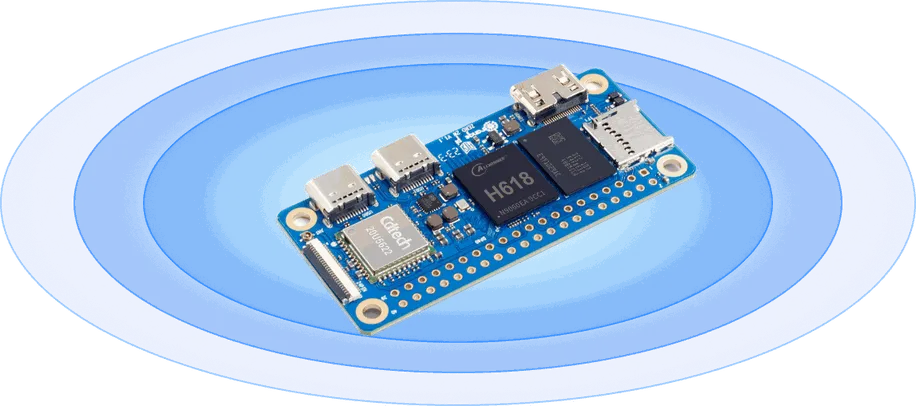
Hardware
Supported Features
The opi_zero2w board supports the hardware features listed below.
- on-chip / on-board
- Feature integrated in the SoC / present on the board.
- 2 / 2
-
Number of instances that are enabled / disabled.
Click on the label to see the first instance of this feature in the board/SoC DTS files. -
vnd,foo -
Compatible string for the Devicetree binding matching the feature.
Click on the link to view the binding documentation.
opi_zero2w/sun50i_h618 target
On-target memory for this board target: 1023 MiB of RAM, N/A of Flash.
Type |
Location |
Description |
Compatible |
|---|---|---|---|
CPU |
on-chip |
ARM Cortex-A53 CPU4 |
|
GPIO & Headers |
on-chip |
||
Interrupt controller |
on-chip |
ARM Generic Interrupt Controller v21 |
|
LED |
on-board |
Group of GPIO-controlled LEDs1 |
|
Serial controller |
on-chip |
DesignWare 8250 UART Controller1 |
|
SRAM |
on-board |
Generic on-chip SRAM1 |
|
Timer |
on-chip |
per-core ARM architected timer1 |
Programming and Debugging
The opi_zero2w board supports the runners and associated west commands listed below.
| flash | debug |
|---|
The Allwinner H618 SoC needs to be initialized prior to running a Zephyr application. This can be achieved in a number of ways (e.g. Das U-Boot Secondary Program Loader (SPL), …).
The instructions here use the U-Boot SPL. For further details and instructions for using Das U-Boot with Allwinner SoCs, see the following documentation:
Building Das U-Boot
Clone and build Das U-Boot for the Orange Pi Zero 2W:
git clone -b v2024.01 https://source.denx.de/u-boot/u-boot.git
cd u-boot
make distclean
make orangepi_zero2w_defconfig
export CROSS_COMPILE=aarch64-none-linux-gnu-
make
sudo dd if=u-boot-sunxi-with-spl.bin of=/dev/mmcblkX bs=1024 seek=8
Building and Flashing
# From the root of the zephyr repository
west build -b opi_zero2w samples/hello_world
Copy the compiled zephyr.bin to the boot directory of the SD card and plug it into the board.
=> fatload mmc 0:1 0x40080000 zephyr.bin
=> go 0x40080000
You should see the following output on the serial console:
*** Booting Zephyr OS vx.x.x ***
Hello World! opi_zero2w/sun50i_h618