MikroElektronika MCP251x Click shields
Zephyr supports a few different MikroElektronika Click shields carrying the Microchip External CAN Controllers [1], either with or without integrated CAN Transceiver [2].
MikroElektronika CAN SPI 3.3V/5V Click shield
Overview
The CAN SPI 3.3V/5V Click shield has a MCP2515 [4] stand-alone CAN controller via a SPI interface and a high-speed SN65HVD230 [3] CAN transceiver.
More information about the shield can be found at Mikroe CAN SPI 3.3V click [7] and Mikroe CAN SPI 5V click [8].
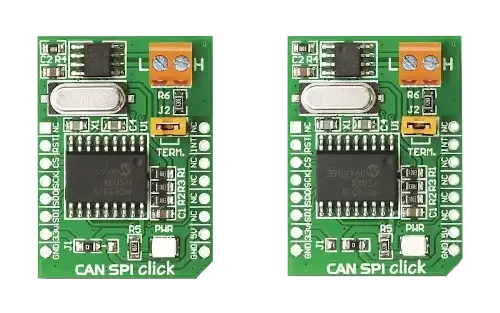
MikroElektronika CAN SPI 3.3V/5V Click (Credit: MikroElektronika)
MikroElektronika MCP25625 Click shield
Overview
The MCP25625 Click shield has a MCP25625 [6] CAN controller via a SPI interface with an integrated high-speed MCP2562 [5] CAN transceiver. This CAN controller is software compatible with the stand-alone MCP2515 [4] CAN controller.
More information about the shield can be found at Mikroe MCP25625 click [9].
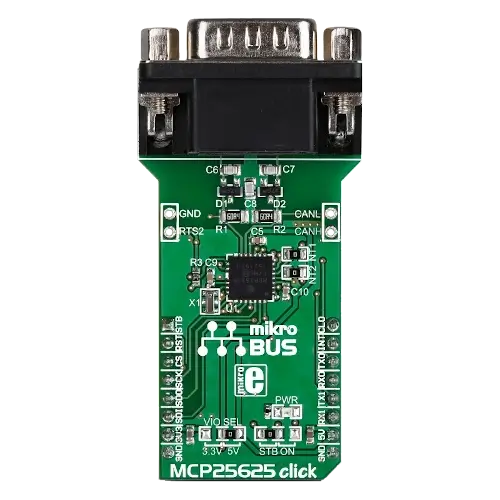
Requirements
These shields use a mikroBUS interface. The target board must define the
mikrobus_spi and mikrobus_header node labels (see Shields
for more details). The target board must also support level triggered
interrupts and SPI clock frequency of up to 10 MHz.
Programming
Set --shield mikroe_can_spi_click or --shield mikroe_mcp25625_click
when you invoke west build, for example:
# From the root of the zephyr repository
west build -b lpcxpresso55s28 --shield mikroe_can_spi_click samples/drivers/can/counter
west flash
# From the root of the zephyr repository
west build -b lpcxpresso55s28 --shield mikroe_mcp25625_click samples/drivers/can/counter
west flash